A mock podcast app built with Expo and tested end to end with e2e, the agentic test runner. The same test suite runs on iOS, Android, and the web.
The app is a fake podcast player with a Home, Search, Library, and Profile tab, show and episode pages, a player with a queue and sleep timer, playlists, sharing, and settings. All data is local and mocked in src/data/podcasts.ts.
| iOS | Android | Web |
|---|---|---|
|
|
|
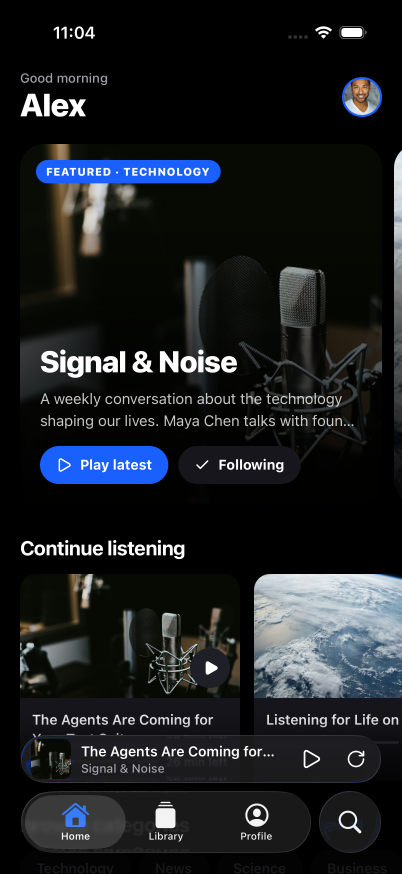
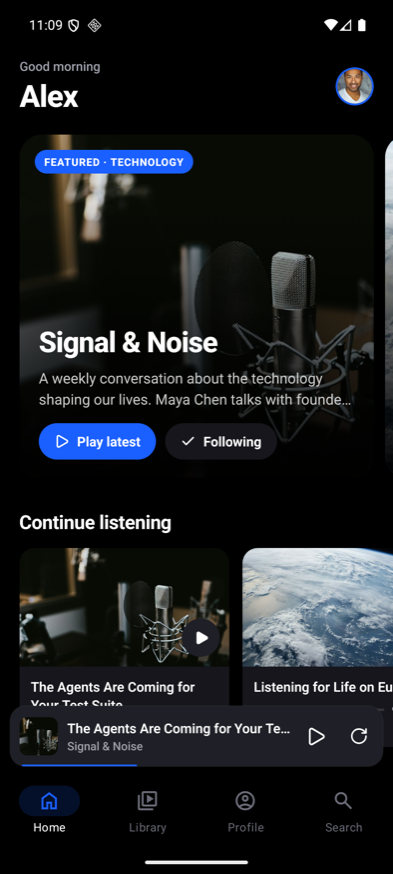
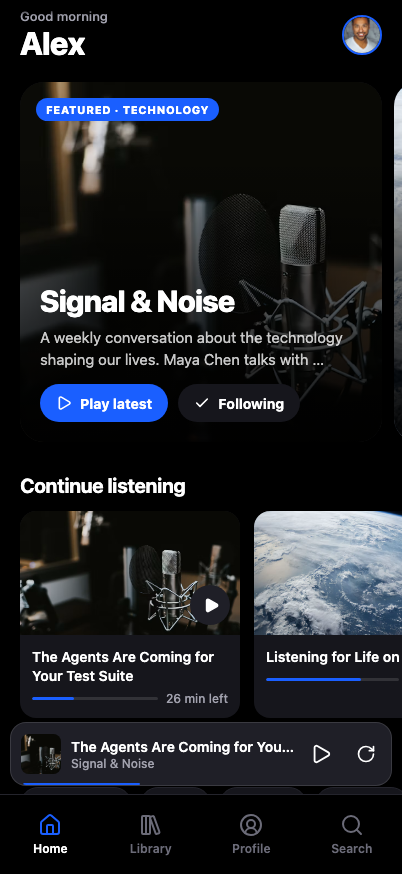
Get started
-
Install dependencies
terminal npm install -
Build and run the app on a simulator, emulator, or in the browser
terminal npm run ios # npx expo run:ios npm run android # npx expo run:android npm run web # npx expo start --web
The ios/ and android/ directories are generated by Continuous Native Generation. Don't edit them by hand; configure native behavior in app.json instead.
Project structure
src/
  app/          Expo Router screens (tabs, show, episode, player, playlists, ...)
  components/   Shared UI (mini player, scrubber, toast, ...)
  data/         Mocked podcasts, episodes, and categories
  store/        Library and player state
tests/          e2e tests, one file per feature
e2e.config.ts   e2e targets and agent setup
End-to-end tests
Tests live in tests/*.e2e.ts. Each test mixes agent.act goals written in plain language with exact locator assertions:
test('save an episode', async ({ agent, screen }) => {
  await agent.act('save the episode');

  await expect(screen.getByRole('button', 'Saved')).toBeSelected();
});
Setup
The agent runs on a model served by the Vercel AI Gateway. Set AI_GATEWAY_API_KEY, or link a Vercel project to use its OIDC token.
The iOS and Android targets need a development build installed first (npm run ios / npm run android). The iOS target runs on an iPhone 17 Pro simulator.
Running
npm run test:e2e:ios       # iOS simulator
npm run test:e2e:android   # Android emulator
npm run test:e2e:web       # browser, phone-sized viewport
Run a single file with npx e2e run tests/episode.e2e.ts --target ios.
All three targets share one Metro server on port 8081, which e2e starts if it isn't already running. Its log goes to .e2e/logs/metro.log. Agent steps are cached in .e2e/cache so repeat runs replay without calling the model.
Writing tests
Structure every test as Arrange, Act, Assert, and check one outcome per test. See AGENTS.md for the full conventions.